Private chat for your friend group

Voice, chat, and screen sharing on a server you own.

No lag, no accounts, no company in the middle.

Early bird until

Open the demo Download for free

Your friends never pay. One person buys the server license, lifetime updates.

  • 4K60 screen sharing
  • Low latency
  • $0 to join
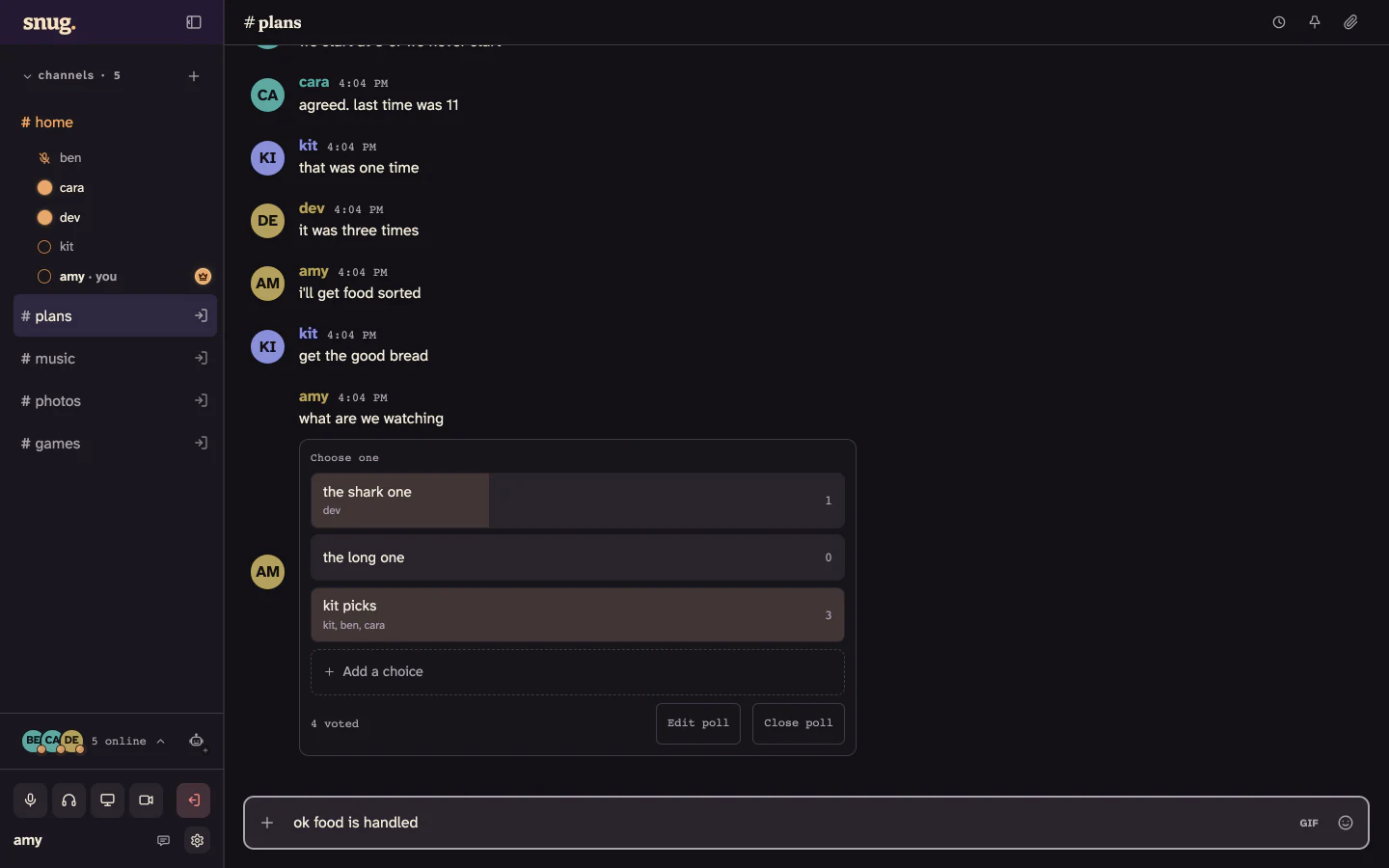
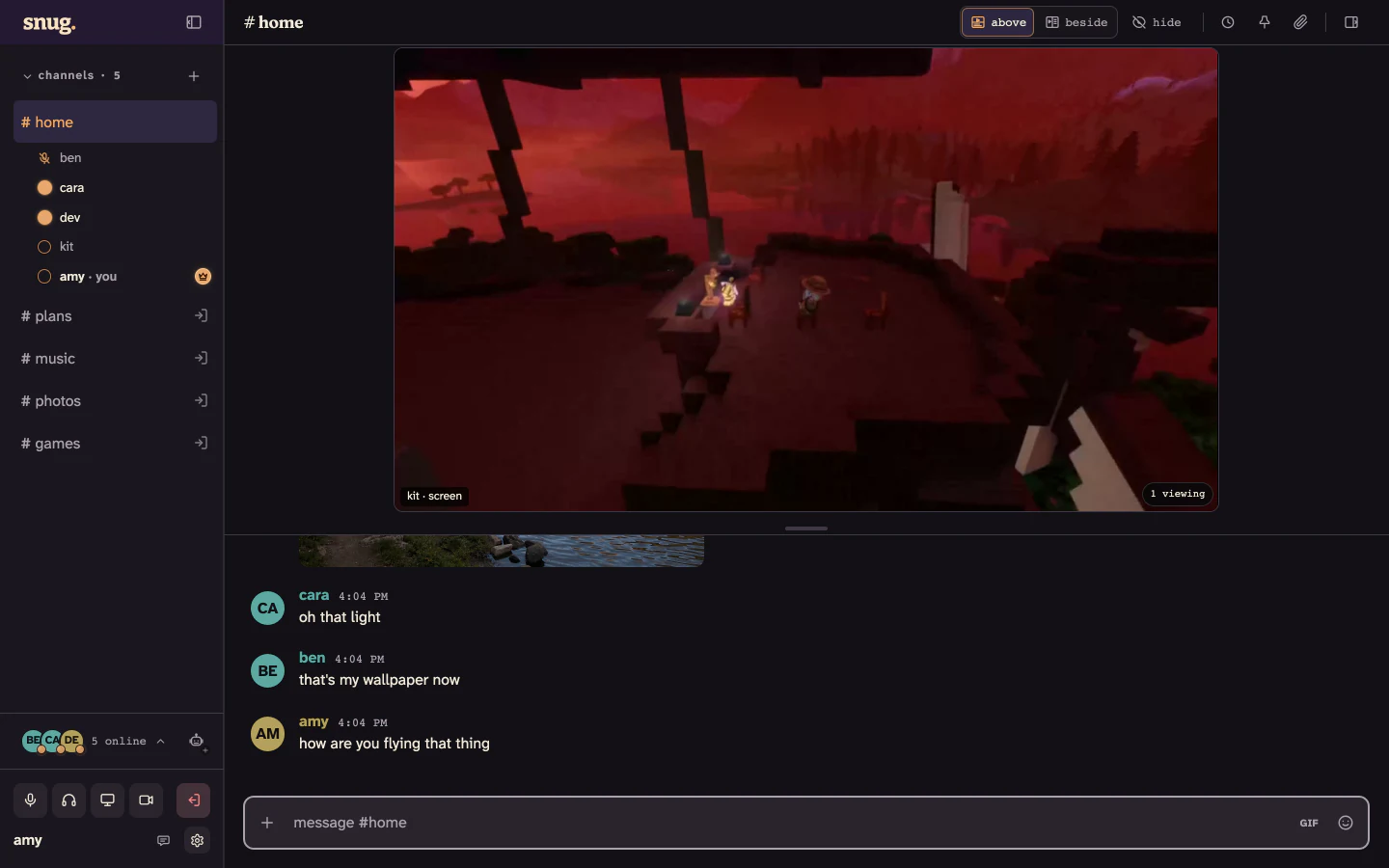
snug with a game on the stage, five friends in voice, and the conversation carrying on underneath

Voice and screen sharing

They sound like they're next to you.

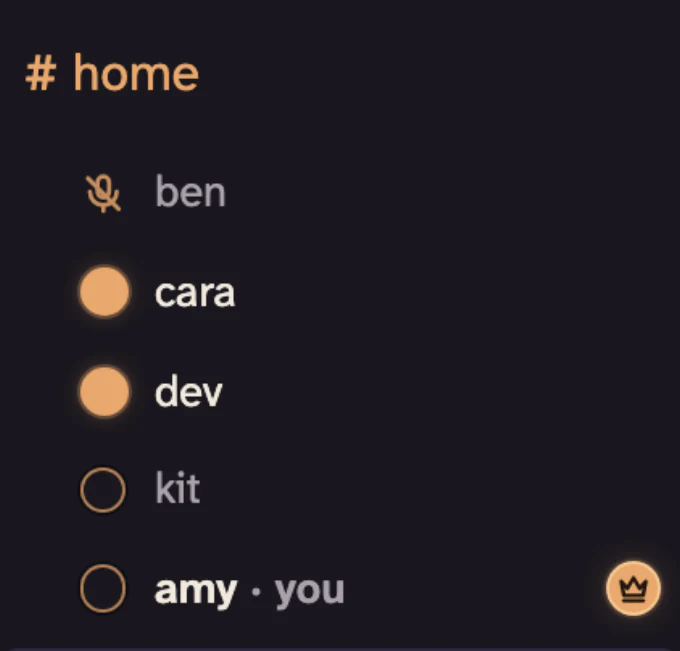
See who's already talking and join them. Nobody has to schedule a call.

  • Up to 4K60 on screen sharing, and 128 kbps Opus for voice. Pick 720p, 1080p, 1440p, or match my screen, at 30 or 60 fps.
  • One hop. Your voice reaches the group's snug server and goes straight back out. It's forwarded, never re-encoded.
  • Fans and keyboards stay out of it. Noise suppression runs on your own machine, before a single packet leaves.
  • Encrypted the whole way there. Voice, cameras, and screen sharing travel as encrypted WebRTC between each person and the server.
The #home voice channel in snug: two friends with a lit dot beside their name, two in the call and quiet, and one muted

Text channels

Everything ends up here.

The photos from Saturday, the poll about Saturday, and the argument about the poll. It's all still there next week.

  • As many channels as you want. One for plans, one for photos, one nobody admits to.
  • Big files just go. Half a gigabyte each to start, and the host can raise that whenever.
  • Polls and plans, right in the channel. Ask the group, pick a night, and the answer stays where the argument happened.
  • Private channels and DMs. Lock a channel to the people who should see it. Direct messages sit in the same list.
Find messages and channels
snug showing the #plans conversation while four friends talk in the #home voice channel

Your server

One machine, and it's a friend's.

Messages, files, and live calls all meet at the server you chose. No explore page, no algorithm, no ads, no subscription.

  • No snug account. Your friends open the address and pick a name.
  • Two files to back up. One SQLite database and one uploads folder. Move them, copy them, delete them.
  • A signed license check, and nothing else, reaches snug. Not your messages, not your files, not who's on your server.
Who can see what
Five friends connect to one server the group runs. The only thing that travels from that server to snug is a signed license check. amy ben cara dev kit chat · files · voice · screen sharing your Linux box one database, one folder a signed license check snug

Early bird · 50% off

$99 once.

One lifetime license runs one server. Every future update is included. No subscriptions.

This price ends .

Checkout is unavailable

Read the hosting guide

$0

Everyone who joins

No account, no trials, and no upgrade sitting behind a subscription or a microtransaction. However many friends turn up, they pay nothing.

$99$99

The one person hosting

One payment, from one person, and never again. You bring the Linux box and the address; snug doesn't resell either.

Setting up

  1. 1
    Bring a small Linux box

    Ubuntu 24.04, Ubuntu 26.04, Debian 12, or Debian 13, with one vCPU, 2 GiB of memory, 20 GiB free, and a public IPv4 address. A cheap VPS is plenty.

  2. 2
    Install the host command

    snug-ops checks the machine and gives you the exact next step if anything is missing.

  3. 3
    Set up the server

    Add your license, choose the address, then send friends the link.

curl -fsSL https://snug.chat/install.sh | sh
Then run snug-ops doctor to check the host.
Current hosting requirements

Download snug.

The desktop app is free. A link from a friend opens straight in a browser, and the desktop app asks for that address on its first screen.

Then pick a name and you're in. There's no account to make and no password to forget, and any current Chrome, Edge, Firefox, or Safari works too. How snug works

Before you buy.

Do my friends have to pay?
No. Only the server is licensed, and only one person buys it. Everyone else downloads the app or opens the address, and that is the end of it.
Is it a subscription?
No. It's a lifetime license, so you pay once and keep the updates. There's nothing to renew and nothing to cancel.
What do I need to run it?
A 64-bit box running Ubuntu 24.04, Ubuntu 26.04, Debian 12, or Debian 13, with one vCPU, 2 GiB of memory, and 20 GiB free. Calls also need a public IPv4 address and trusted HTTPS. A domain is optional; the server's own address works.
How many people fit?
snug doesn't set a member limit. We test it with 30 people on a decent server. Beyond that, capacity depends on the machine, the network, and how many people are in calls.
Is it end-to-end encrypted?
No, and we won't pretend otherwise. HTTPS and WebRTC protect chat and calls in transit, and everything lands on the server your group chose. The friend running it can read what's stored there, so pick someone you trust and turn on disk encryption. Who can see what
What does snug receive?
From your server, a signed license check and nothing else. Snug servers and the desktop app send us nothing about what happens inside them. This website counts page visits.
Try it with someone.

The demo is a real snug, open to anyone. Send the link to a friend and you'll both be in it, so you can actually hear the thing.

Open demo.snug.chat